How to Convert HEVC for Plex So Any TV Can Play It
Published June 11, 2026
FFmpeg Commander has always let you pick a file right on your computer and convert its codec. Now you can do the same thing for a file sitting on your NAS or any other SMB share — pick it over the network, convert it to H.264, and swap it in, only after you've confirmed the new file works.
The Problem: HEVC and Older Hardware
HEVC (H.265) is great for storage — roughly half the file size of H.264 at the same quality. But a lot of older TVs, streaming sticks, and low-power NAS boxes (think an aging QNAP or Synology with an Atom or ARM CPU) either can't decode HEVC at all, or can't transcode it on the fly for Plex/Jellyfin clients that need H.264.
The usual fix is painful: download the file over SMB, convert it on a real computer, then re-upload and manually replace the original — juggling filenames so Plex doesn't lose watch history or metadata matches.
Convert HEVC for Plex automates that whole loop from one dialog, with a visible progress bar for every step and nothing destructive until you say so.
How It Works — Four Steps, Each With Its Own Progress Bar
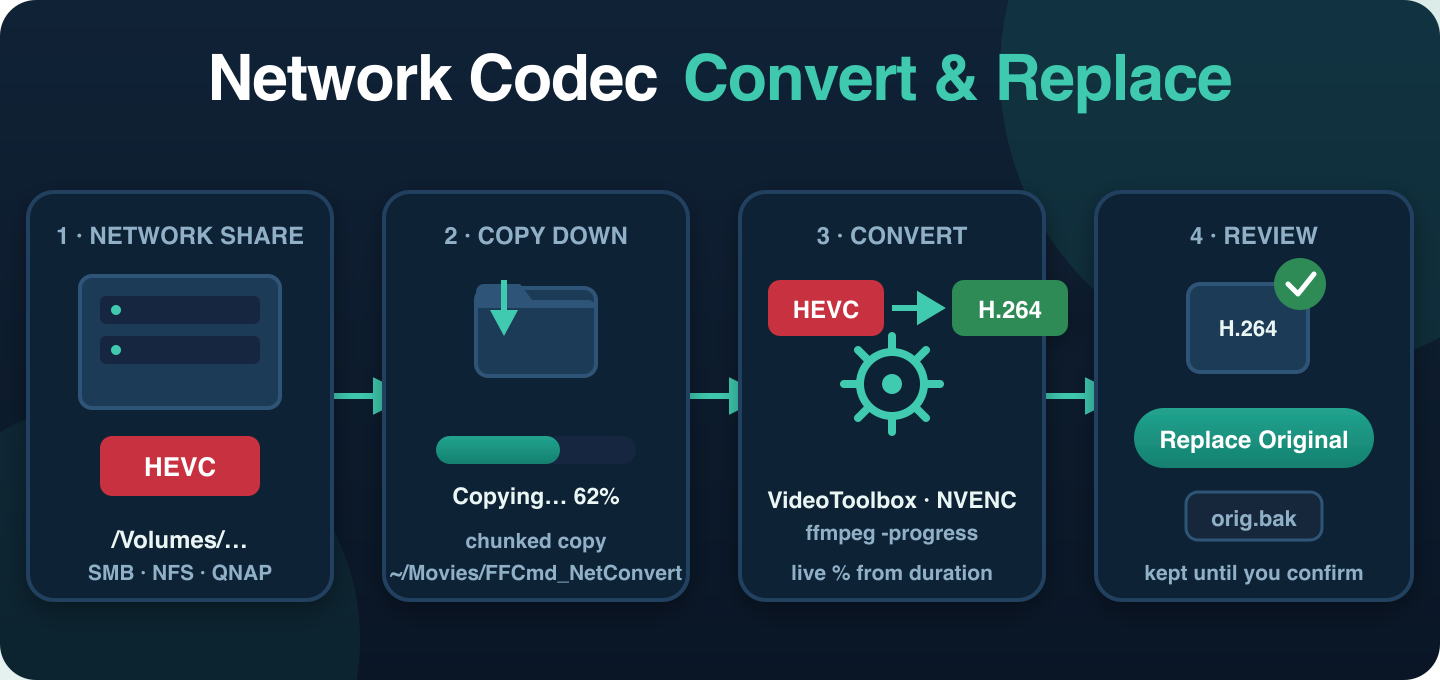
- Pick a file on your network share. Click Choose File… and browse to anything mounted under
/Volumes/…(macOS) — your QNAP, Synology, or any SMB/NFS share. FFmpeg Commander probes it withffprobeand shows you the current codec, resolution, duration, and file size before you do anything. - Copy down to local scratch. The file is copied in 4MB chunks to
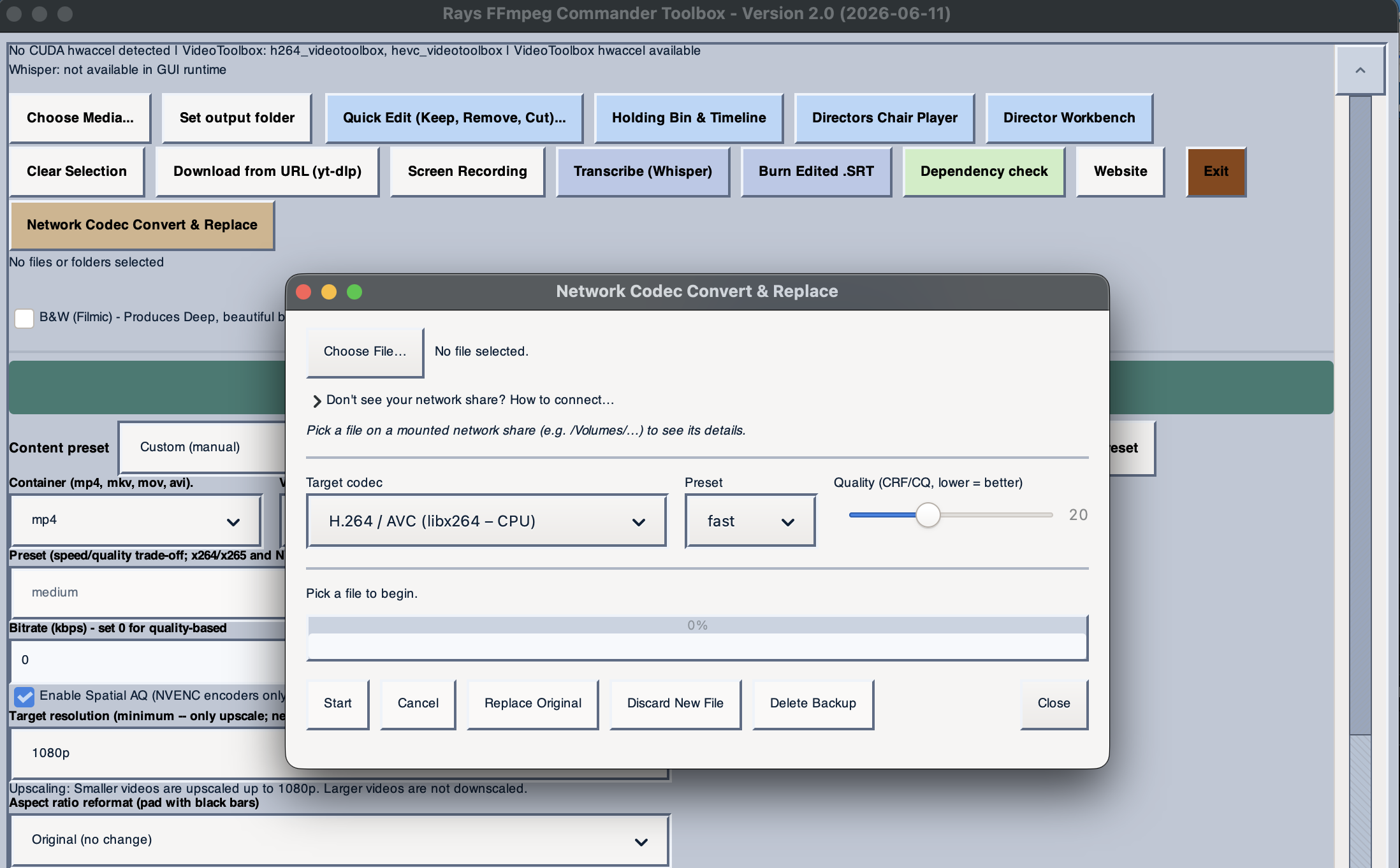
~/Movies/FFCmd_NetConvert/on your Mac, with a real byte-count progress bar — so the slow part (network I/O) happens once, up front, and the actual encode runs at full local speed. - Convert. Pick your target codec (H.264 or H.265, via VideoToolbox, NVENC, AMF, QSV, or CPU libx264/libx265), preset, and quality (CRF/CQ). FFmpeg runs locally with live progress parsed straight from
ffmpeg -progress. If the source audio track can't be stream-copied into the output container, it automatically retries once with AAC. - Review, then decide. The converted file is copied back to the same folder as the original, saved as
<name>_h264.mkv— the original is untouched. Go play the new file in Plex or VLC. If it's good, click Replace Original: the old file is renamed to<name>.mkv.bakand the new one takes its place, so Plex picks it up at the exact same path. If something's off, click Discard New File instead and try different settings — your original never moved.
Tip: After replacing, the .bak file sits right next to the new one — Plex ignores it (it doesn't match a video extension), so your library and watch history stay intact. Once you've confirmed playback on the TV that was giving you trouble, click Delete Backup to free up the space.
Works With Plex, Jellyfin, Emby — Anything Over SMB
This isn't tied to Plex specifically. It works with any server where SMB (or NFS) file sharing is enabled — Plex itself doesn't need to expose any special API. If you can mount the share in Finder (Cmd+K → smb://<nas-ip>) or map a network drive on Windows, you can point Convert HEVC for Plex at any file on it: Jellyfin, Emby, a plain file server, or just a folder of videos you want to re-encode in place.
Safety First
- Nothing is deleted automatically. The original stays put until you explicitly click Replace Original.
- Disk space is checked up front — if your local scratch drive doesn't have enough free space, the process stops before copying anything.
- Cancel anytime during copy or conversion — partial files in scratch and on the share are cleaned up automatically.
- A backup stays on the share after replacement, until you explicitly delete it.
Every status line and progress bar is real — driven by actual byte counts during copies and ffmpeg's own progress output during conversion, so you always know what's happening and how long it'll take.
Stop manually downloading, converting, and re-uploading files to your NAS. FFmpeg Commander includes this tool and much more — one-time purchase, no subscription.
Get FFmpeg Commander — $45 →New to FFmpeg? See how to use FFmpeg without the command line.
FFmpeg Commander Video Toolbox — 2026